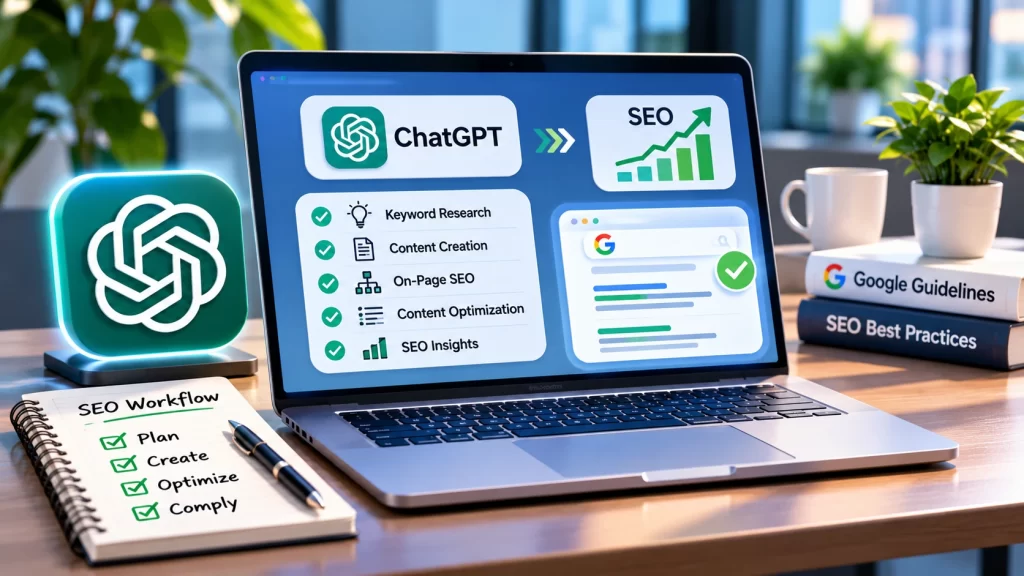

Most business owners who try AI for SEO start the same way. They paste a keyword into a chatbot, ask for a 2,000-word article and publish whatever comes back. The article reads well and ranks nowhere, and in the worst cases it competes with a page the site already has. The tool was never the problem. The job it was given was.
Claude can do a great deal of useful SEO work, but only when it has real data in front of it, a narrow task to perform and a person who checks the result before anything reaches your website. This guide explains what Claude can and cannot do for SEO, the different ways to set it up, a step-by-step workflow, the tasks that are worth handing over, the mistakes that cost websites traffic and a 30-day plan to put it into practice.
A note on evidence. Most of what has been published about using Claude for SEO comes from agencies, tool vendors and individual practitioners describing their own workflows. That is useful experience, but it is not controlled research, and we flag it where it matters. Nothing in this guide is a ranking guarantee, because no tool or provider can promise one.
The search figures in the first card come from Google Keyword Planner, which our team checked directly for worldwide searches. For comparison, RightBlogger’s US-only keyword data from November 8, 2026 showed 590 monthly searches for “claude seo” and 480 for “claude seo skill”. The gap between the two is mostly geography, since the global figure counts every country. Both point the same way: a large share of searchers are looking for the Claude SEO skill and plugin by name, which is why this guide covers both the skills and the practice.
The Short Answer: Use Claude for SEO, Do Not Let It Do the SEO
Claude is strong at language work. It reads pages, compares them, finds patterns in an export, rewrites a title ten different ways and drafts a clear first version. SEO contains a lot of exactly that kind of work. Claude is weak wherever the job needs facts it does not have, such as live rankings or search volumes, and wherever the job needs judgment about whether a recommendation suits your particular site.
The clearest warning comes from Search Engine Land, which makes the case that Claude is an excellent research assistant and a risky operator. In the cases it reports, Claude was asked to target new keywords and instead copied the homepage into two new URLs, changing little more than the title tag and the H1. Six months later those pages had no impressions and no clicks, while the homepage kept ranking for the terms the new pages were meant to win. The clones were competing with the original. The same article describes the identical mistake on a second site run by someone else, so it is a pattern rather than a one-off.
The lesson is a division of labor. Let Claude handle research, analysis and drafting. Keep execution with people: new pages, title and H1 changes, redirects, canonicals and internal links. Anything Claude produces is a claim to verify, not a finished result, because output that looks complete is not necessarily correct.
What Claude Can and Cannot Do for SEO
Claude does not pull live rankings or crawl your site by itself. It works with whatever you bring to it from tools such as Ahrefs, Semrush, Google Search Console or Screaming Frog, so your job is to supply the inputs while Claude helps you process, structure and act on them. Ryan Robinson makes a related point in his guide to connecting Claude to live search data: a language model has no real search-volume data behind it, and a made-up number looks identical to a real one when it comes out of an AI. That is the single most important limit to understand.
| Good Fit for Claude | Poor Fit for Claude |
|---|---|
| Grouping keywords by search intent | Quoting search volumes or rankings from memory |
| Finding content gaps against pages that rank | Deciding a one-off strategic move, such as launching a whole new content hub |
| Rewriting titles and meta descriptions from real queries | Writing in your distinct brand voice without a human editor |
| Summarizing Search Console and analytics exports | Topics newer than its training data, unless you supply fresh sources |
| Drafting briefs, FAQs and schema markup for review | Publishing changes to your live site unsupervised |
| Suggesting internal links and spotting orphan pages | Relationship work such as journalist outreach or sales handovers |
The right-hand column is not guesswork. The agency StudioHawk, which runs much of its SEO workflow through Claude, lists the same limits in its own practitioner guide: one-off strategic decisions, brand voice, relationship-driven work and recent or novel topics. Its summary is that Claude is a workflow accelerator, not a strategy consultant. Read that as a vendor describing its own practice, but it matches the pattern across nearly every serious guide.
We found no independent study showing that Claude-assisted SEO outperforms other approaches, and the survey figure above comes from a small sample of 97 responses. Treat the claims you see online, including claims of hours saved, as practitioner experience. The honest benefit is speed and consistency on repetitive work, not guaranteed rankings.
Five Ways to Use Claude for SEO
“Using Claude” can mean quite different setups, and choosing the right one matters more than choosing the right prompt. StudioHawk describes Claude SEO as moving your repeatable tasks into Claude, either as chat prompts, saved Skills that reload the same instructions every time, or Claude Code jobs that run against your data on a schedule. Here is how the options stack up for a business owner.
| Setup | What It Is | Best For | Main Limit |
|---|---|---|---|
| Plain chat | You paste data or page text into a conversation and ask for analysis or drafts | Beginners and one-off tasks such as title rewrites | You re-explain your site every time, and Claude only sees what you paste |
| A Project as site memory | A long-running workspace where you store your brand voice guide, content calendar and Search Console exports once | Teams who want every prompt to inherit the same context | Context is only as good as what you load, and it still cannot fetch live data |
| Skills | Reusable packages of instructions, brand context, SEO rules and output templates that apply your standards to matching tasks | Repeatable work such as briefs, audits and reports | You must write and maintain the rules, and a weak skill repeats mistakes consistently |
| Connectors (MCP) | Small servers that let Claude pull real numbers from tools you already use, such as Search Console, Ahrefs or Semrush | Anyone who wants real search data instead of guesses | Some connectors can write to your site, so permissions and undo matter |
| Claude Code | A developer-oriented tool that can read a code repository, query SEO data and propose site changes | Technical teams automating audits and fixes | More technical to set up, and the riskiest option to leave unsupervised |
For most owners and marketing managers the sensible path is to start with plain chat, move to a Project once you are repeating yourself, and add one connector, usually Search Console, when you want real numbers. Skills and Claude Code come later, and only if you have someone who will review what they do.
Which Connectors Are Worth Considering
RightBlogger’s guide compares six add-ons by what they cost and whether they can change your site. The table below summarizes that comparison as of November 2026. Pricing and plan names change often, so confirm the current terms with each vendor before you commit.
| Tool | What It Gives Claude | Cost as Listed | Can It Change Your Site? |
|---|---|---|---|
| claude-seo (audit plugin) | Site audits covering technical, schema, content and AI search readiness | Free, open source (MIT) | No |
| mcp-gsc (do-it-yourself Search Console) | Your Search Console data | Free, open source | No. It covers sitemaps and properties, not posts |
| Search Console MCP (hosted) | Your Search Console data without self-hosting | Free plan, then about 4.99 euros per month | No, read-only |
| Ahrefs MCP | Keyword, ranking and backlink data | Ahrefs Lite plan or higher | No |
| Semrush MCP | Keyword and competitor data | Pro, Guru or One plans with API units | No |
| RightBlogger MCP | Keyword data plus editing of posts | Included on every plan | Yes, with undo for body edits |
Notice the last column. Read-only connectors are the safer starting point. If you connect something that can edit live posts, keep approvals on and make sure every change can be reversed.
A 5-Step Workflow to Start With Claude
This sequence follows the approach laid out in RightBlogger’s Claude SEO guide, adapted for a business owner or marketing manager who does not want to become an engineer.
- Connect Google Search Console first. It is free and shows queries, clicks, impressions and positions for your own pages. If you cannot connect it, export the data and upload the file to a Claude chat or Project instead.
- Add a keyword data source. Search Console only reports queries you already appear for. For new topics you need a keyword database such as Ahrefs or Semrush, otherwise any search volume Claude gives you is a guess.
- Have Claude read the pages that rank. Give it the exact URLs from the results page for your target keyword and ask it to compare headings, questions answered and depth against your own page.
- Add an audit for site-wide checks. Audit skills and plugins flag technical and content problems across a site, but they cannot tell which problems are costing you traffic unless Search Console is connected too.
- Apply fixes with a way to undo them. Edit by hand or through a connector, keep approvals on, and keep a change log so a later traffic drop can be traced back to a specific edit.
Fig 1. A practical split of responsibilities. This is a framework, not measured data.
Give Claude a Brief About Your Business First
The fastest way to improve every output is to stop asking Claude to guess who you are. One practitioner suggestion that appears repeatedly is to use a Project, or a long-running chat, as your site’s memory. Drop in your Search Console data, your content calendar and your brand voice guide once, and every later prompt inherits that context instead of you re-explaining the site each time.
A useful business brief is short and factual. It should cover who your customers are, what you sell, where you operate, which services earn the most, what you do not want to be known for, and the exact phrases you use. Add a list of your existing URLs with the main keyword each one targets. That last item matters most, because it lets Claude check for overlap before it suggests anything new.
Here is my business brief. [customers, services, locations, tone, phrases to use and avoid] Here is a list of my current URLs and the main keyword each one targets. [paste list] Use this as background for everything we do in this conversation. Before you suggest any new page, check it against this list for overlap and tell me if an existing page should own the topic.
Keep the brief up to date. A stale list of URLs is worse than none, because Claude will confidently reason from pages that no longer exist.
Eight SEO Tasks Worth Handing to Claude
Each task below is low risk because the output is a recommendation you review before anything changes. Replace the bracketed parts with your own details.
1. Keyword Research and Clustering
Claude cannot tell you how many people search for a phrase, but it is very good at sorting a list. Pull a keyword export from Ahrefs, Semrush or Search Console, then ask Claude to group the terms by the problem the searcher is trying to solve, not just by shared words. Ryan Robinson’s guide describes using a connected data source so Claude can compare volume, competition and cost per click across many related terms and build a prioritized content plan. The key is that the numbers come from the data source, never from Claude’s memory.
Here is a keyword export with volume and difficulty from [tool]. [paste data] Group these into clusters by search intent. For each cluster, name the intent (informational, commercial, transactional or local), pick the best target keyword, and say whether it fits an existing page on my list or needs a new one. Use only the numbers in the export. If a number is missing, say so.
2. Search Intent and SERP Analysis
Before writing anything, you need to know what kind of page Google rewards for the query. Give Claude the exact URLs of the top-ranking pages and ask it to describe what they have in common: page type, length, structure, questions answered and what they leave out. A comparison page ranking for a comparison query tells you something different from a how-to guide ranking for the same words.
Read these three ranking URLs for [keyword]. Identify the search intent and the page type each one uses. List the questions they answer, the questions they skip, and anything that looks outdated. Then tell me which page type I should build and why.
3. Content Briefs From Ranking Pages
A good brief is where Claude saves the most time. It can turn the SERP analysis above into an outline with headings, questions to answer, facts that need a source and the internal links to include. Ahrefs describes generating briefs from the pages that currently rank as one of the most practical uses. The writer, whether that is you or someone on your team, then adds the part Claude cannot: first-hand knowledge.
Using the analysis above, write a content brief for [topic] aimed at [customer type]. Include the target keyword, search intent, a proposed title, an H2/H3 outline, questions to answer, facts that need a verified source, and which of my existing pages to link to. Mark any section where I need to add my own examples or experience.
4. Drafting and Editing, With a Human in Charge
Claude can produce a competent first draft, but the draft is where the risk of generic writing lives. StudioHawk reports that Claude’s output defaults to a competent but generic tone, and that its human writers produce the final copy. A better pattern is to feed Claude your own raw material, such as notes from a conversation with an expert, answers your sales team gives every week or the questions customers actually ask, and have it organize and tighten that material. Ahrefs describes this approach: give Claude the page, the questions your team really receives and reliable information it can use, and let it draft a section for you to check and add to.
- Give it source material. Interview notes, call transcripts, product specifications and approved facts produce better drafts than a keyword alone.
- Ask it to mark gaps. A good instruction is to flag every claim it cannot support from the material you supplied.
- Edit for your voice. Replace generic sentences with specific ones from your own work, and cut anything that could appear on any competitor’s site.
- Add experience it cannot invent. Real projects, real numbers from your business and real customer questions are what make a page worth ranking.
5. Titles, Meta Descriptions and Headings
This is one of the safest and most useful starting points. Give Claude the page’s top queries from Search Console and its current title, and ask for options. Because the input is real query data, the suggestions stay tied to how people actually search. Check that every option still matches what the page delivers, since a title that promises something the page does not provide will hurt engagement.
Here are this page’s top 10 Search Console queries, its current title and its current meta description. [paste data] Suggest 3 title options under 60 characters and 2 meta descriptions under 155 characters. Each must match what the page actually delivers. Ignore any query that is clearly irrelevant to the page’s real topic.
That last sentence is not decoration. RightBlogger’s testing showed that Claude will happily optimize for junk queries unless you tell it to skip them. Its example was a Search Console entry asking who the CEO of an unrelated blog is, on a page about who owns WordPress. Rewriting the intro for that query would have made the page worse.
6. Internal Linking and Orphan Pages
Give Claude a page plus a list of your other URLs, and ask which ones deserve a contextual link and what the anchor text should read. It can also compare your list of pages against your sitemap or crawl and point out orphaned pages that nothing links to. Always check that every URL it names exists before you add it, because a confident suggestion for a page that does not exist is a common failure.
7. Schema Markup and FAQs
Provide the questions your sales team actually hears and your approved answers. Claude can format them as a visible FAQ section and generate matching structured data. Google’s guidance on generative AI content says output should be fact-checked and reviewed before publishing, and that this includes titles, meta descriptions, structured data and image alt text. Validate any markup with Google’s own testing tools, and only mark up content that is visible on the page. Schema does not guarantee a special result in search.
8. Monthly Reporting and Analysis
Reporting is where many small teams lose hours. Paste in two equal-length periods of Search Console data and ask Claude to summarize wins, drops and opportunities in plain English. Insist that it separate what the data shows from what might explain it, because a traffic change that follows an edit is a clue, not proof. Ahrefs makes the same point in its caveats.
Compare these two equal-length periods of Search Console data. [paste both periods] Summarize the biggest wins, drops and opportunities for a business owner in plain English. For each point, separate what the data shows from what might explain it, and do not state a cause as fact.
Decide Whether to Create a Page or Update One
This single decision prevents more damage than any other. Before you publish anything new, give Claude your list of existing URLs and ask whether the new topic belongs on a new page, an existing page or a merge. Two pages chasing the same query tend to compete with each other, which is exactly what happened in the cloned-homepage cases.
Search Engine Land recommends a simple test: if a “new” page shares more than a sentence or two of body copy with an existing page, treat it as a duplicate. It also recommends giving every URL one clear search intent instead of trying to rank a page for many unrelated queries. Use these rules as a checklist whenever Claude proposes a page.
| Situation | Likely Action | What to Ask Claude |
|---|---|---|
| New keyword with a clearly different intent from any current page | Create a new page | “Does any page on my list already answer this intent? Show me the closest match.” |
| New keyword that is a close variant of an existing page’s target | Update the existing page | “What does the current page lack for this variant? List the specific sections to add.” |
| Two pages target nearly the same query | Merge or differentiate | “Compare these two pages. Which should own the query, and what should happen to the other?” |
| A page gets impressions but few clicks | Rework the title and opening | “Using these queries and positions, what is the page failing to promise?” |
| Multiple location or service variants | Create only if genuinely different | “What is true only for this location or service? If nothing, do not create the page.” |
The last row deserves attention. Ahrefs mentions using Claude to plan service-and-location pages while avoiding near-duplicates. Swapping a city name into the same text helps neither visitors nor search engines, so ask Claude to prove each page has something real that the others lack.
Refreshing Old Content and Finding Quick Wins
Search Console is full of opportunities that cost far less than new content. Ahrefs lists several analyses Claude can run on an export: pages with impressions but few clicks, pages ranking just off page one, pages losing clicks over time when two equal periods are compared, and queries where you appear both in ads and organically. Each produces a short list you can act on.
From this Search Console export, list pages with high impressions, low click-through rate and an average position between 8 and 20. [paste export] For each, explain in one or two sentences what it likely needs, rate your confidence, and flag anything you are unsure about. Do not suggest changes to pages that already rank in the top 3.
A few cautions apply. Confirm the reporting periods are complete and equal in length, and check that analytics definitions mean what you assume. Check intent before changing anything, because some redirects, canonicals and exclusions are deliberate. Test any template-level change on several pages before rolling it out sitewide.
Technical SEO Audits With Claude
Technical checks are an area where agencies get real value. StudioHawk describes using Claude to check indexation, canonicals, hreflang, structured data, Core Web Vitals, internal link structure and orphan pages, then produce a scored report with prioritized actions. Ahrefs adds auditing noindex tags, redirects and sitemap conflicts.
For a business owner, an audit plugin such as claude-seo can be a good first pass. According to RightBlogger, it runs a full audit from Claude Code with parallel agents, gives a rough 0 to 100 health score and exports reports. Keep two limits in mind.
- A score is not a priority list. An audit can flag dozens of issues, but without Search Console data connected it cannot tell you which ones are costing you traffic.
- Large sites strain the context window. A full crawl of a site with tens of thousands of pages still needs chunking and careful prompting, so decide what data Claude needs for the task before you load it.
- Verify crawlability yourself. One practitioner reported that an AI agent downloaded a JavaScript bundle without running it, leaving a page it helped build hard for crawlers to read. Always check how Google sees the final page, not just how it looks in a browser.
Claude and AI Search Visibility
Many owners now want to know whether AI assistants mention their business. Claude can help you test this, but the testing has to be honest. Ryan Robinson’s approach is to run buyer-style category questions through several chat assistants and record whether a brand is named and how often. Repeat the same questions monthly so you can see change over time.
Be careful with promises in this area. No one outside the AI companies can say exactly how recommendations are assembled, and the tools change often. A sensible response is to strengthen the foundations that every search system relies on: accurate business details everywhere, pages that answer the question near the top, structured data that states your facts clearly, and a consistent reputation across the web. Some guides also recommend adding an llms.txt file, but treat that as optional and unproven rather than a requirement.
Where Claude Goes Wrong
Knowing the failure modes in advance is the cheapest protection you have. These come up repeatedly in practitioner reports.
It Can Copy Your Own Pages
The cloned-homepage example is the clearest one. Search Engine Land also cites practitioners describing AI-built pages that duplicate intent, cannibalize keywords, lack internal links, use the wrong schema or never get indexed. The cause is that Claude, asked for a new page and lacking a good answer, produces something that looks finished instead of something that is correct.
It Chases Junk Queries
Search Console contains odd and irrelevant queries. Unless you tell Claude which to ignore, it treats them as opportunities. Always state who the page is for and which queries are out of scope.
It Invents Numbers
Without a data source, search volumes, difficulty scores and traffic estimates are guesses that look identical to real figures. Require every number to come from a file or connector you supplied, and ask Claude to say “not provided” when it is missing.
It Sounds Generic
Competent but bland copy is the default. The fix is your own material and a human editor, not a longer prompt.
It Does Not Know What Happened Recently
Models have a training cutoff. For new products, recent regulations or current prices, supply fresh sources yourself and verify the result.
It Can Report Success That Did Not Happen
Ahrefs gives a sobering example: an AI run that reported success while replacing good articles with placeholders. The rule that follows is to check the live page after every change, not the summary Claude gives you.
It Optimizes for Plausible, Not Right
Claude, like every current model, does not reliably know when a plausible option is wrong for a specific page, site structure or keyword map. That judgment is yours.
Google’s Position on AI-Assisted Content
Google’s published guidance on generative AI content is worth reading in full before you publish at scale. In summary, it says generative AI can be useful for researching a topic and structuring original content. Using it to generate many pages without adding value for readers may violate Google’s spam policy on scaled content abuse. The guidance also stresses accuracy, noting that models predict likely word sequences rather than retrieve facts, so output can contain errors and should be reviewed and fact-checked. That review should cover titles, meta descriptions, structured data and image alt text. Google also recommends telling readers how content was created where that helps them understand it.
The practical reading is straightforward. AI assistance is not the problem. Publishing unreviewed, low-value pages in volume is.
Rules for Using Claude Safely
- Split the work. Claude researches, analyzes and drafts. A person who knows your site approves anything that changes titles, URLs, redirects, canonicals or internal links.
- Require approval before publishing. Review every AI-touched change before it goes live, not after.
- Check new pages against old ones. If a new page shares more than a sentence or two of body copy with an existing page, treat it as a duplicate.
- Give every URL one clear intent. One page, one main job.
- Verify facts. Confirm statistics, prices and claims against original sources. Never publish a number you cannot trace.
- Add what only you know. Real customer questions, project examples and your own expertise are what make a page worth ranking.
- Keep changes reversible. Keep a log of what changed and when, so a traffic drop can be traced to an edit.
- Check the live page. After any change, open the page and confirm it looks and works as intended.
- Expect no guarantees. Neither Claude nor any tool can promise a ranking, a featured snippet or a mention in AI answers.
A Quick Pre-Publication Checklist
| Check | Question to Answer | Who Does It |
|---|---|---|
| Duplication | Does this page overlap an existing one by more than a sentence or two? | Person, with Claude’s comparison |
| Intent | Does the page serve one clear search intent? | Person |
| Facts | Is every figure and claim traceable to a source? | Person |
| Experience | Does it contain examples or knowledge only your business has? | Person |
| Metadata | Do the title, description, schema and alt text match the page and read correctly? | Person |
| Links | Do all internal and external links work and make sense? | Person |
| Crawlability | Can search engines read the live page, not only a browser? | Person or developer |
| Rollback | Can this change be undone and is it logged? | Person |
A 30-Day Plan to Put Claude to Work
The plan below sets priorities and deliverables, not promised results. Timing depends on your site, your market and how much you already have in place.
| Week | Focus | Deliverables | Decision Gate |
|---|---|---|---|
| Week 1 | Set up. Connect or export Search Console, build your business brief and list of URLs with target keywords | A Project with the brief, the URL list and a Search Console export | Can Claude name which page owns each of your main keywords? |
| Week 2 | Low-risk wins. Rewrite titles and meta descriptions for pages with impressions but low clicks | Reviewed title and description options for your top pages | Does each option match what the page really delivers? |
| Week 3 | Gaps and links. Run the page-versus-ranking-pages comparison and an internal link review | Content gap list, a short list of pages to update and a list of internal links to add | Has every suggested link and page been checked against your real URL list? |
| Week 4 | Brief and report. Produce one writer-ready brief and your first monthly summary | One brief reviewed by a person, a change log and a monthly performance summary | What worked, what did not, and which task to automate next? |
A sensible rule is to start with one narrow, high-frequency task, keep human review in place and treat Claude as the execution layer on top of the SEO tools you already use. Expanding too quickly is how most teams end up with the problems described above.
Should You Do This Yourself or Work With an Agency?
Doing it yourself makes sense when you have time to review output, a small site and a willingness to learn the basics of Search Console. The cost is mostly your attention. Working with an agency makes sense when you want the workflow built, the data connected and a specialist reviewing what goes live, particularly if your site is large, local or in a regulated industry where wording matters.
If you hire help, ask these questions.
- Who reviews AI-assisted work before it goes live? You want a named person, not a promise that the tool is accurate.
- How do you check for duplicate and overlapping pages? A good answer includes comparing against your existing URLs.
- Where does your data come from? Rankings and volumes should come from real tools, not from a chatbot.
- Can changes be reversed? Ask how edits are logged and undone.
- Who owns the accounts, content and tracking? You should, in writing.
- What will the report show? Enquiries and customers should lead, not only rankings.
Amigo Softtech offers AI SEO, SEO, Local SEO and a pay for performance SEO model, and the workflow described in this guide, with a person approving every change, is how we think AI should be used in SEO work.
Frequently Asked Questions
Start with plain chat and low-risk tasks. Export your Search Console data, paste the top queries for one page and ask for title and meta description options. Then check each option against the page before you use it. Once that feels routine, move to a Project that holds your business brief and URL list.
No. Claude has no rankings or search-volume database of its own. It reasons over the data you provide, so it sits on top of those tools rather than replacing them. Without a data source, any volume figure it gives you is a guess.
It carries risk. Published cases show Claude duplicating pages and AI runs reporting success while damaging content. Keep a human approval step, make sure every change can be reversed and check the live page afterward. Research and drafting are much safer uses than direct publishing.
It is a free, open-source plugin for Claude Code that runs site audits, according to RightBlogger’s description of its GitHub project. It is separate from using Claude in a normal chat, and it needs Claude Code, which is more technical to set up. It can flag issues, but it cannot tell you which ones cost you traffic unless Search Console is connected as well.
Google’s guidance does not ban AI assistance. It says generative AI can help with research and structure, but that producing many pages without adding value may violate its scaled content abuse policy, and that output should be fact-checked and reviewed before publishing. Read the current guidance before you publish at scale.
Not by itself. It can speed up research and improve drafts, but rankings depend on how useful and relevant the final pages are. No tool or provider can guarantee a position.
It can draft them, but publishing the draft unchanged is where problems start. The output tends toward a generic tone, may include unsupported claims and lacks your first-hand experience. Feed it your own source material, have it flag unsupported claims, and edit the result in your own voice before publishing.
Match the cadence to the task. Title and meta reviews can follow a monthly Search Console check. Content briefs follow your publishing schedule. Technical audits are worth running quarterly or after a redesign. Keep a change log so you can connect results to specific edits.
It can help you test it. Run the same buyer-style questions through several assistants each month, record whether your business is named and compare over time. Treat the results as a rough signal, since answers vary and the tools change often, and no one can promise a mention.
Letting it create and publish pages without checking them against what already exists. That leads to duplicate pages competing with each other, keyword cannibalization and wasted effort. Always compare any new page with your current URLs and keep one clear intent per page.
Claude is most valuable where SEO is slow and repetitive: sorting data, comparing pages, drafting first versions and spotting gaps. It is least reliable where SEO needs judgment about your specific site. Use it to think faster, give it real data instead of letting it guess, keep a person in charge of everything that gets published, and measure results by enquiries and customers, not by how much content you produced.
If you would like help building an AI-assisted SEO workflow with the right checks in place, our team can review your site and tell you what we would fix first.
Is Your Business Visible in AI Search Results?
Get a free AI SEO audit and find out whether your business is being cited by ChatGPT, Perplexity and Google AI Overviews.